How to activate a PVOLVE membership using an activation code?Updated 5 months ago
If you received an activation code, you can follow the steps below to activate your membership.
Before You Get Started:
- Make sure your cart is empty. There should be no other products or subscriptions in your cart.
- Confirm that there are no active accounts associated with the email address you plan to use.
Activation Steps:
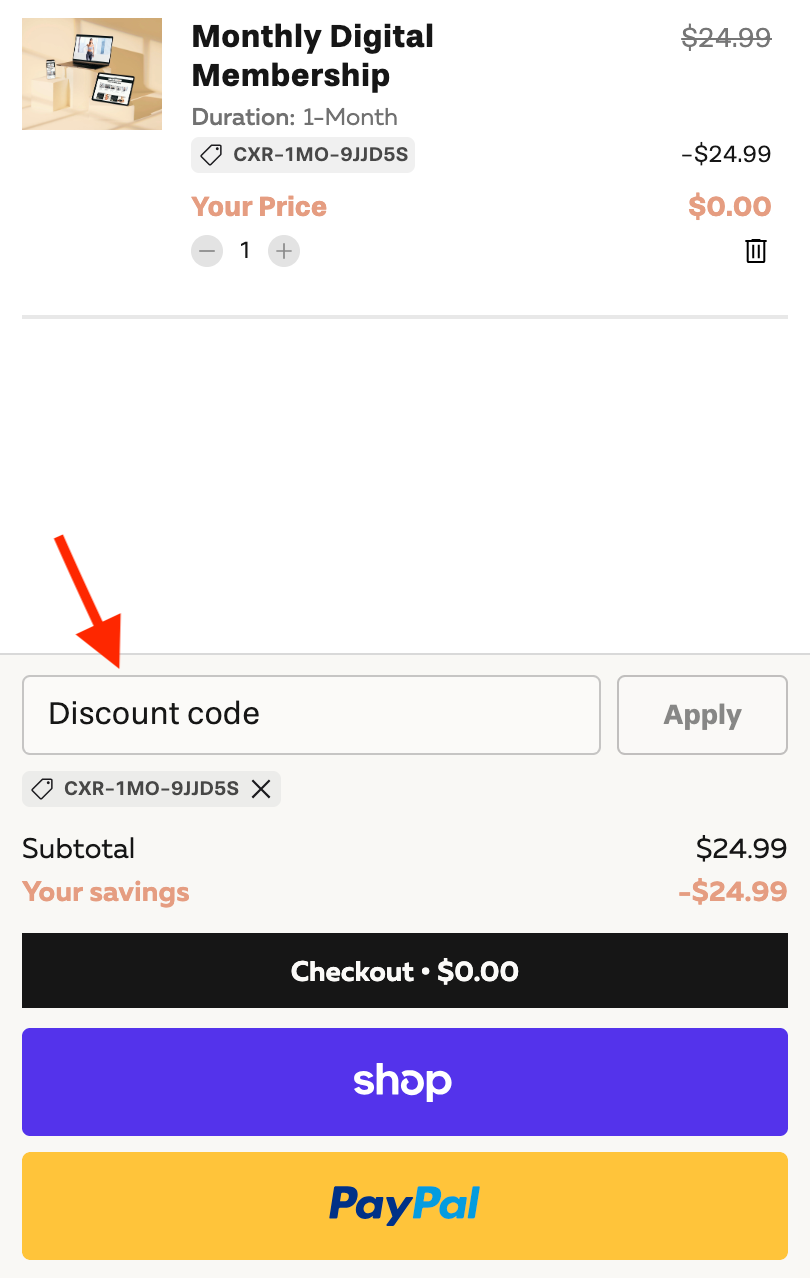
- Enter the activation code in the Promo Code field
- Click “Submit”
- This code will only work when using the link from Step 1.
- You should see a Digital Membership added to your cart at no cost. Click “Checkout.”
- Enter your email, billing address, and phone number if prompted, then click “Complete Order.”
- Create a password and click “Create Account.”
- Once your account is created and membership is activated, click “Start Exploring My Homepage” to access the PVOLVE platform.
NOTE:
- Do NOT use ApplePay
- After selecting Start Exploring My Homepage, go to the workouts page and click Sign in. Enter the same email and password you used during setup.
- If the mini cart displays a full price, re-enter the promo code to zero it out.